Every plan includes a number of clips per month: Free 10, Starter 20, Pro 40, Agency Lite 80, Agency Plus 160 and Agency Scale 320. A clip is used when you export one; making, asking for and editing clips is unlimited.
Clips by plan
| Plan | Clips per month | Watermark | AI agent and editing assistant |
|---|---|---|---|
| Free | 10 | Yes | No |
| Starter | 20 | No | No |
| Pro | 40 | No | Yes |
| Agency Lite | 80 | No | Yes |
| Agency Plus | 160 | No | Yes |
| Agency Scale | 320 | No | Yes |
Custom plans for agencies and media companies have their own number of clips. See /pricing/.
What uses a clip
- Export on a clip (in the Clips tab or in the editor) uses 1 clip.
- Exporting the same clip again, for example after more edits, uses another clip.
- Schedule on a clip that hasn't been exported yet exports it first, so it uses 1 clip. Scheduling a clip that is already exported uses nothing.
- Video clips and audiograms count the same.
What doesn't use a clip
- Suggested clips, clips from the AI agent and clips you Create manually.
- Editing, previewing and changing the layout.
- Downloading a clip you already exported.
- Failed exports. If an export fails or takes too long, the clip is given back ("Your credit has been refunded").
Where to see what you have left
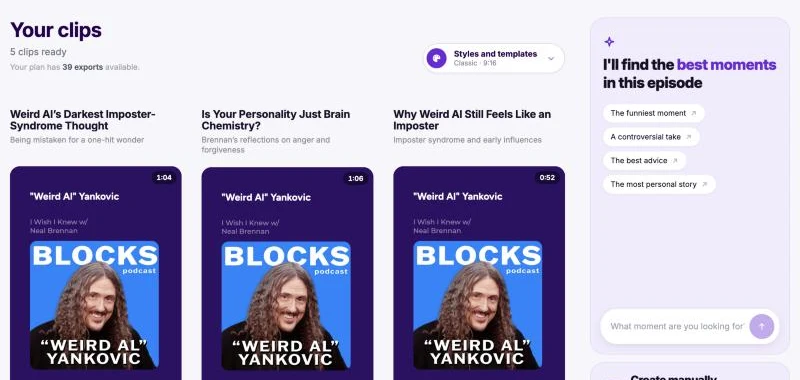
At the top of the Clips tab: "Your plan has N exports available". When you run out, it says "Your plan has no exports left." and links to the plans.
Good to know
- Clips reset to your plan's number at each monthly renewal. Unused clips don't carry over (rollover applies to minutes on Pro and above, not to clips). See Minutes, clips and rollover.
- On the Free plan, exports have a small watermark. Paid plans export without it.
- If you need clips before your renewal date, you can upgrade or use Reset now to start a new billing cycle. See Reset plan and Upgrade, downgrade or cancel.
Troubleshooting
- "You don't have any clips left to export." Wait for your renewal, reset your plan or upgrade.
- "Too many clips have been exported today. Try again later." A daily safety limit was reached. Try again later; no clip was used.