AI caption generator, word by word, in your style
Upload a video or a full episode. Podsqueeze transcribes it, times every word and burns in captions in the style you pick, so people watching on mute stay until the end.
Caption presets
Used by podcasters, networks and media around the world












How AI captions work
Captions on every clip, without typing a word
No transcribing, no timing, no styling by hand.
Upload your video
A short clip or a full episode. Or paste a YouTube link.
Pick a caption style
Six caption styles; set your colours and font once.
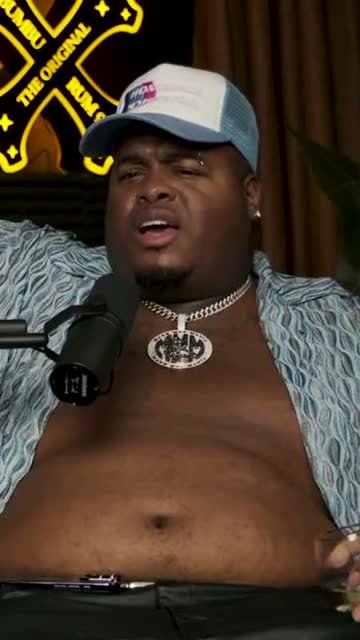
Where crunk really started
Export with captions burned in
MP4s ready for TikTok, Reels and Shorts.
AI agent
An assistant that knows every caption setting
Ask for clips and it finds them; ask for a style, a colour or a size and it changes the captions. Every change is listed.
It finds the clips
Start from the moments worth captioning
“The best three stories, under a minute each.” It reads the whole episode and comes back with clips, already captioned.
It styles the captions
Ask for the caption look you want
The spoken word in yellow, a bolder font, a lower third under the captions. The change shows on the clip straight away, and one click undoes it.
Knows the caption panel
Style, colours, font, weight and position.
Undo any change
Each edit is listed in the chat.
15+ languages
Transcripts in 15+; ask the assistant in 15.
Caption settings
Every caption setting, one panel away
The Edit panel holds the caption style, spoken-word colour, text colour, font, weight and alignment. The transcript is where you fix the words; the timeline shows when the captions run.
Swipe to see the whole editor →
1Style presets
Six looks, each with a live preview.
2Your colours
Spoken-word and text colours, or any custom colour.
3Your fonts
Montserrat, Inter, Poppins and more.
4Saved as a layout
Your caption look on every new clip.
Animated captions
Six caption styles, made for the feed
Highlight the spoken word, pop it, show one word at a time or reveal the words as they're said. Pick a style and every clip follows it, balanced line by line.
- Classic, highlight, pop, single word, reveal, minimal
- Lines split by meaning, never a stray word
- Drag the captions anywhere on the frame
Caption presets
Framing
Captions and framing that work together
The camera keeps the speaker in view and the captions sit clear of the action, for one speaker or two.
Captions under a speaker who stays in frame
The camera follows whoever is talking, so the captions sit under a face that's always in view, not under an empty chair.
Two speakers, one caption line between them
In split screen the captions move to the middle of the frame, between the two faces, right where the eye already is.
Correct once
Fix a misheard word in the transcript, not frame by frame
Captions come from the transcript. Correct a name or a term there and the captions update. You can also hide a word from the captions without cutting it from the audio.
- Captions follow every correction
- Hide a word from the captions only
- Ask the assistant to cut fillers
“Weird Al” Yankovic 12:44
✦ Cut the “um”sSo, um, I talked to him on the phone and I said, listen, I'd like to do a parody of your song. You know, and he said, oh, is it gonna be a song about food? This was the first time Nirvana played Saturday Night Live.
Audiograms
Audio-only? Captions on a moving waveform
Audio episodes become audiograms with your cover art, a waveform that moves with the voice and the same animated captions.
- Any of the six caption styles
- Seven waveform styles
- Vertical, square and wide

The one email that grew our show
The Long Table · Ep. 18
We
The one email that grew our show
The Long Table · Ep. 18
We
Export
Captions burned in, ready to post
Export MP4s with the captions as part of the video, so they show on every platform. Or schedule the clips to YouTube Shorts.
- Captions burned into the MP4
- Ready for TikTok, Reels and Shorts
- Scheduling to YouTube Shorts
YouTube Shorts
Off the Record · connected
Mon
Tue
Wed
Thu
Fri
Caption details
Small things that make captions readable
Brand fonts and colours
Save your caption look as a layout.
Any aspect ratio
Captions adapt to 9:16, 1:1 and 16:9.
Music under the voice
Background tracks mixed below the speech.
Hide a word, keep the audio
Leave a word out of the captions without cutting it.
Why Podsqueeze
AI captions vs typing them yourself
| Feature | Podsqueeze | Manual captions |
|---|---|---|
| Transcribes and times every word | By hand | |
| Animated word-by-word styles | Basic | |
| Lines balanced by meaning | By hand | |
| Fix a word in the transcript, captions follow | ||
| Change the style by asking | ||
| Captions on audio-only episodes |
Loved by the people who make the shows
What is an AI caption generator?
An AI caption generator listens to a video, writes down what's said and puts the words on screen, timed to the speech. For short videos on TikTok, Instagram Reels and YouTube Shorts, the best captions don't just show the text: they move with the voice, highlighting each word as it's spoken, so people watching on mute keep reading.
How to add animated captions to a video
- Upload the video. A short clip, a full episode or a YouTube link.
- Let the AI transcribe it. Every word is timed to the audio.
- Pick a caption style. Highlight, pop, single word, reveal, classic or minimal, with your font and colours.
- Fix any word in the transcript. The captions update straight away.
- Export the video. The captions are burned into the MP4, ready to post.
Which caption style should you use?
- Highlight colours the spoken word in a box. It's easy to follow and works for most talking-head clips.
- Pop makes the spoken word jump out. Good for energetic clips.
- Single word shows one word at a time, big. Best for short, punchy lines.
- Reveal fills the words in as they're said, for a calmer feel.
- Classic and minimal keep it simple, for interviews and serious topics.
Captions or subtitles?
Captions in short videos are part of the picture: styled, animated and burned into the clip. Subtitles for full-length videos are usually a separate file, like an SRT, that the player shows on demand. If you need subtitle files for a whole video, use our auto subtitle generator.
Why creators caption with Podsqueeze
Podsqueeze was built for conversations. It times captions to every word, splits the lines by meaning so no word is left hanging, keeps the speaker in frame and lets you change the whole look by simply asking. There's a free plan to caption your next clip.
FAQ
AI captions, answered
Can't find what you're looking for? Our team answers within a day.
What is an AI caption generator?
A tool that transcribes the speech in a video, times every word and turns it into on-screen captions automatically. Podsqueeze adds them in animated styles made for short videos, and burns them into the clip.
Which caption styles can I use?
Classic, highlight, pop, single word, reveal and minimal. The free plan includes Classic and Reveal; the other styles and all fonts come with the Pro plan.
Can I change the font, colours and size?
Yes. Set the spoken-word colour, the text colour, the font, the weight and the alignment, and drag or resize the captions anywhere on the frame.
Which languages are supported?
Captions come from the transcript, which works in more than 15 languages.
How do I fix a wrong word in the captions?
Edit the word in the transcript and the captions follow. You can also hide a word from the captions without removing it from the audio.
Are the captions burned into the video?
Yes. When you export, the captions are part of the MP4, so they show on TikTok, Instagram Reels, YouTube Shorts and LinkedIn without a separate subtitle file.
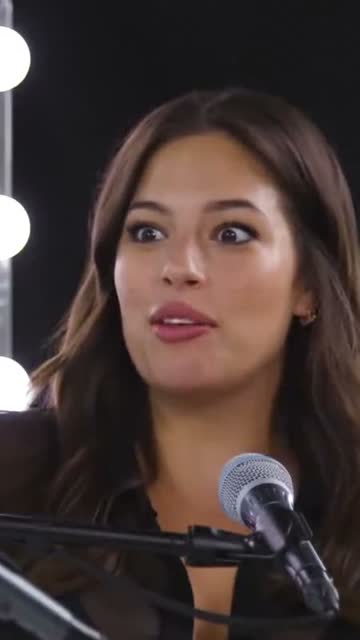
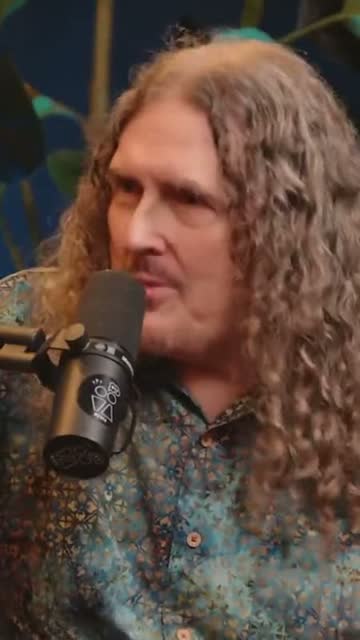
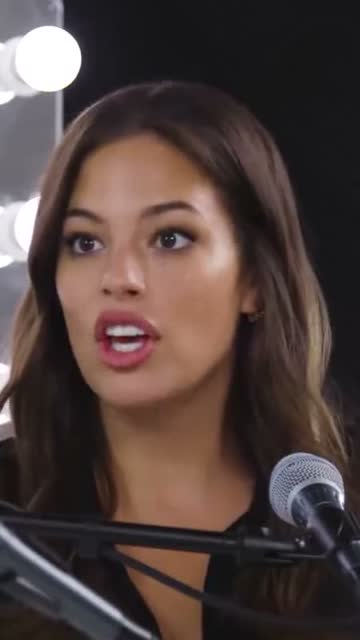
Your next clip deserves captions people read
Upload a video or a full episode. Animated captions in your style, in minutes.
Free plan · No credit card · 15+ languages