If you run out of minutes or clips before your plan refills, Reset now buys a fresh monthly cycle today. Podsqueeze charges your saved payment method the full monthly price, adds your plan's monthly minutes and clips straight away, and your renewal date becomes today.
Steps
- Open your Dashboard.
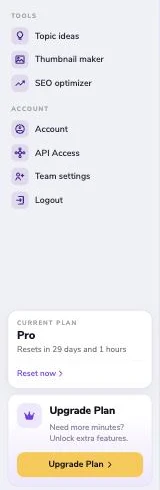
- In the sidebar, under Current plan, click Reset now.
- In the Reset Plan Now window, check:
- Charge today: the full monthly price of your plan.
- Current renewal date and New renewal date.
- Click Charge and Reset Now. To leave without paying, click Cancel.
- When it succeeds you see "Your monthly plan was reset successfully. Your monthly credits were added and your next renewal date moved to today." The page reloads with the new balance.
Good to know
- You keep the same plan. Reset does not change your plan, only the start of your billing cycle.
- Minutes and clips are added, not replaced. Your plan's monthly minutes and clips are added on top of what you have left. For example, a Pro plan with 40 minutes left has 360 minutes after a reset.
- The next refill moves too. Your next renewal, charge and refill happen 30 days after the reset, not on the old date.
- Rollover still applies at the next refill. On Pro and above, unused minutes roll over up to 3x your monthly minutes. On Starter, the balance goes back to 120 at the next refill. See minutes and rollover.
Limits
- Only on monthly paid plans. Reset now is not shown on annual plans, on the Free plan, or on a subscription that has been cancelled.
- Only the workspace owner sees Reset now. Teammates in a shared workspace do not.
- If you need more minutes every month rather than once, upgrading may cost less. See pricing.
Troubleshooting
- The payment failed. Update your card under Account › Billing › Payment Settings, then try Reset now again.
- I don't see Reset now. Check that you are on a monthly plan, that the subscription is not cancelled, and that you are in your own workspace, not a teammate's.