Every plan gives you a number of minutes and clips that refill every 30 days. On Pro and above, unused minutes roll over and add up to a maximum of 3 times your plan's monthly minutes. On Free and Starter, unused minutes do not roll over, and clips never roll over on any plan.
How it works
- Minutes are used when you convert an episode. The episode's full length is taken from your balance, rounded up to the next minute, once the transcript and content are finished.
- Clips are used when you export a clip (including when a scheduled clip is exported for you).
- Every 30 days from the start of your billing period, your balance refills. Annual plans also refill every 30 days.
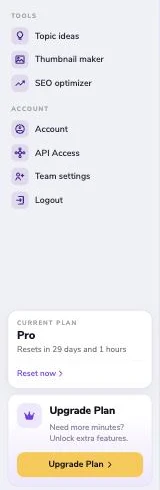
- Your current balance is on the Dashboard ("You have N minutes."), and the sidebar shows your plan and when it resets ("Resets in N days and N hours").
Limits
| Plan | Minutes every 30 days | Clips every 30 days | Minutes rollover | Most minutes you can hold |
|---|---|---|---|---|
| Free | 30 | 10 | No | 30 |
| Starter | 120 | 20 | No | 120 |
| Pro | 320 | 40 | Yes | 960 |
| Agency Lite | 600 | 80 | Yes | 1,800 |
| Agency Plus | 2,000 | 160 | Yes | 6,000 |
| Agency Scale | 4,000 | 320 | Yes | 12,000 |
The same amounts apply to monthly and annual billing. Prices are on the pricing page.
Good to know
- Rollover example (Pro): you have 100 minutes left when your period renews. You get 320 new minutes, so your balance becomes 420. If you had 800 left, the new balance would be capped at 960.
- Free and Starter: at each refill your balance is set back to the plan amount. Leftover minutes are lost.
- Clips: at each refill your clips are set back to the plan amount on every plan.
- Upgrading keeps your current minutes and adds the new plan's minutes on top. See upgrade, downgrade or cancel.
- Cancelling: rolled-over minutes are a perk of an active subscription. When a paid plan ends, the account returns to Free with 30 minutes and 10 clips, and accumulated minutes are lost.
- Need minutes before your refill date? On a monthly plan, Reset now starts a new period today and adds a full month of minutes and clips.
- Deleting an episode does not give its minutes back.
- If a conversion fails before it finishes, no minutes are taken.