The Submagic alternative for full podcast episodes
Submagic shines on short videos you already cut. Podsqueeze starts from the whole episode, finds the clips, frames the speakers, captions them and writes the show notes.
✦Reading the episode… 0 of 58 min
Used by podcasters, networks and media around the world












Start from the episode
From a full episode to captioned clips
No need to cut the clip first and caption it after.
Upload the whole episode
Video or audio, even hours long.
Get clips with captions
Picked, framed and captioned together.
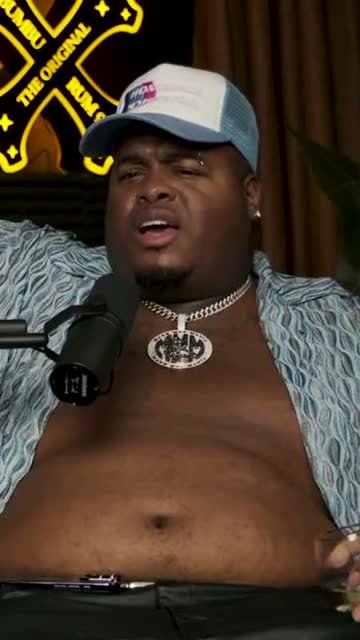
Where crunk really started
Take the show notes too
Summary, chapters and posts.
AI agent
An assistant that has heard the whole episode
It finds clips anywhere in a long recording and edits them when you ask.
It finds clips
Moments from anywhere in the episode
“Three clips about pricing, from the second half.” It reads all of it and returns them.
It edits them
Then refine by asking
Captions, names, music or length; each change listed with an undo.
Long recordings
Hours of conversation, fully read.
Visible changes
Every edit listed.
15 languages
Ask in yours.
Editor
An editor around the conversation
Transcript of the full episode, clip timeline, framing markers and caption settings in one place.
Swipe to see the whole editor →
1Full transcript
Search the whole episode.
2Framing markers
One per speaker.
3Caption panel
Style, colours and fonts.
4Layouts
Your look, saved.
Captions
Animated captions balanced by meaning
Six caption styles, lines split by meaning, never a lone word, with corrections made in the transcript.
- Six styles
- Your fonts and colours
- Lines split by meaning
Caption presets
Framing
Built for two people talking
Follow the speaker or show both. Watch the real shot below.
Framing that knows who is talking
Voices are matched to faces by lip movement, so the frame follows the right person in a conversation.
Two speakers, two halves
For podcast interviews, show both people at once, each face framed in its own half.
Text editing
Trim the clip as text
Delete words to cut them; extend a clip by a sentence when the thought needs it.
- Cut by deleting words
- Fix misheard names
- One sentence longer
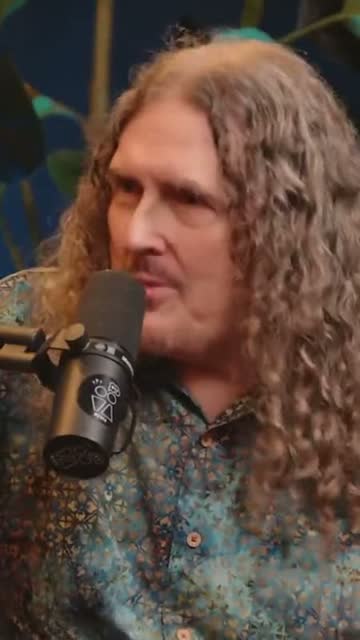
“Weird Al” Yankovic 12:44
✦ Cut the “um”sSo, um, I talked to him on the phone and I said, listen, I'd like to do a parody of your song. You know, and he said, oh, is it gonna be a song about food? This was the first time Nirvana played Saturday Night Live.
Audio-only episodes
Audio podcasts get clips too
Audio-only episodes become audiograms with cover art, a waveform and animated captions.
- Cover art and waveform
- Seven waveform styles
- Same caption styles

The one email that grew our show
The Long Table · Ep. 18
We
The one email that grew our show
The Long Table · Ep. 18
We
Publishing
Schedule Shorts, download the rest
Schedule clips to YouTube Shorts or download MP4s for TikTok, Reels and LinkedIn.
- YouTube Shorts scheduling
- MP4 downloads
- 9:16, 1:1 and 16:9
YouTube Shorts
Off the Record · connected
Mon
Tue
Wed
Thu
Fri
Also included
Everything around the clips
Show notes
Summary and key points per episode.
Chapters
Timestamps for the full episode.
Social posts
Copy for each network.
Music
Royalty-free tracks.
Podsqueeze vs Submagic
Podsqueeze and Submagic, compared
| Feature | Podsqueeze | Submagic |
|---|---|---|
| Animated captions | ||
| AI clips from long videos | ||
| Chat assistant that edits | ||
| Automatic B-roll and emojis | ||
| Split screen for two speakers | Not listed | |
| Audiograms for audio-only episodes | Not listed | |
| Show notes and chapters | Not listed |
Loved by the people who make the shows
Podsqueeze or Submagic?
Submagic is a captions-first editor for short videos, with lots of templates, emojis, B-roll and effects. Podsqueeze is built around the full podcast episode: it finds the clips in a long conversation, frames the speakers, captions them and writes the show notes.
When Podsqueeze is the better fit
- You start from a full episode, not a clip you already cut.
- Your show is an interview and needs split screen or speaker framing.
- Some episodes are audio-only and need audiograms.
- You also need show notes, chapters and posts from the same upload.
When Submagic may fit better
If your videos are already short and you want flashy captions with emojis, automatic B-roll and sound effects, Submagic's editor is built for that.
How we compared
We compared using submagic.co's pricing and public pages in November 2026. Features change, so try both with your own content. For a wider comparison of clip tools for podcasters, read our guide to Opus Clip alternatives.
FAQ
Submagic alternatives, answered
Can't find what you're looking for? Our team answers within a day.
Is Podsqueeze a good Submagic alternative?
For podcasts, yes. Both make animated captions and clips; Podsqueeze adds split screen for interviews, audiograms for audio-only episodes and show notes from the same upload.
What does Submagic do better?
Submagic offers many caption templates with emojis, automatic B-roll, sound effects and one-click filler-word removal. For fast-paced short videos with lots of visual effects, it's a strong choice.
How does Submagic pricing work?
According to submagic.co (checked November 2026), plans are Starter, Pro and Business, billed monthly or yearly, with limits on video length and the number of clip runs per month. See our pricing page for Podsqueeze's plans.
Can I upload a full episode?
Yes. Upload the whole episode, video or audio, and Podsqueeze picks the clips from it.
How did you compare the two?
We used submagic.co's pricing and public pages in November 2026. "Not listed" means we didn't find the feature there.


Start from the full episode
Upload it and get clips, captions and show notes together.
Free plan · No credit card · Hours-long episodes