BLOG ARTICLE
Best Opus Clip Alternative for Podcasters (2026)
Last updated: 10/23/2026
Free resource
Switch from Opus Clip to an all-in-one podcast workflow
Get captioned clips, show notes, and social posts from one episode upload — free to try, no credit card required.
Opus Clip is one of the most popular AI clipping tools on the market — but podcasters searching for an Opus Clip alternative usually have the same complaints: credits burn fast, pricing is hard to predict, and clipping is only half the job. You still need captions, show notes, and a clear plan for how many episodes you can process each month.
In this guide we compare Podsqueeze, Opus Clip, Headliner, and Flarecut for podcast-specific workflows: short clips, captions, show notes, and how each tool prices minutes vs clips. We pulled common themes from Reddit threads and recent comparison roundups so you can pick the right fit without guessing.

Want clips + show notes in one upload?
Podsqueeze turns a podcast episode into captioned clips, show notes, timestamps, and social posts — free to try, no credit card required.
Quick comparison: Podsqueeze vs Opus Clip vs Headliner vs Flarecut
| Podsqueeze | Opus Clip | Headliner | Flarecut | |
|---|---|---|---|---|
| Best for | Podcasters who want clips and show notes from one episode | High-volume short-form clipping from long video | Audio-first podcasters who want audiograms + RSS automation | Budget faceless shorts from text, articles, or short audio |
| Podcast clip workflow | Upload episode → AI chapters → pick moments → export clips/audiograms | Upload video → AI finds viral moments → export vertical clips | Upload audio/video or connect RSS → style audiograms & clips | Paste script/article/audio → AI builds faceless short |
| Captions | Auto-generated, editable in clip editor | Dynamic captions, 20+ languages on paid plans | Auto captions on clips and full videos | Auto subtitles on generated shorts |
| Show notes | ✅ Full show notes, timestamps, blogs, newsletters | ❌ Clip-focused (social post writer on Pro+) | ✅ AI show notes, social captions, keywords | ❌ Not part of workflow |
| Free tier | 30 podcast mins/mo, 10 clips (watermark) | 60 processing mins/mo (watermark) | 1 unwatermarked video/mo + unlimited watermarked | Unlimited generations with watermark |
| Paid starting point | ~$9/mo (Starter) | ~$9/mo annual Starter (150 mins) | ~$8/mo annual Basic (10 exports/mo) | $7.99 one-time for 10 watermark-free exports |
| How limits work | Minutes for episodes + clip count per plan | 1 credit = 1 minute of source video processed | Exports per month (10 on Basic, unlimited on Pro) | Per export/download, not per episode minute |
| Pricing clarity | Minutes and clips listed on each plan | Credit-per-minute; Pro uses a minutes slider | Export count per tier; transcription unlimited on paid | Simple pay-per-export; no subscription required |
What Reddit and creators say about Opus Clip
Independent roundups that scan Reddit threads (including Ssemble's 2026 Opus Clip alternatives guide) keep surfacing the same patterns:
- "Credits burn through insanely fast" — common in r/podcasting and r/NewTubers when a single 60-minute episode consumes 60 credits.
- Per-minute math is confusing — Opus Clip's own docs confirm 1 credit = 1 minute of source video, but users often expect credits to mean "number of clips exported."
- Clipping ≠ full podcast workflow — reviewers like Kompozy's Vizard vs OpusClip write-up note Opus Clip leads on moment detection for webinars and interviews, but podcasters still need show notes, timestamps, and written repurposing elsewhere.
- Pay-before-you-trust friction — several 2026 alternative guides flag upfront subscriptions before you can judge clip quality on your own content.
None of that means Opus Clip is bad — it's excellent at what it does. It just explains why podcasters specifically search for an opus clip alternative that bundles marketing assets with clips.
Pricing clarity: minutes, credits, and clips
Opus Clip — credit-per-minute model

Opus Clip charges based on how long your source video is, not how many clips you export. Per official documentation and pricing breakdowns from CheckThat.ai:
| Plan | Approx. cost | Processing allowance |
|---|---|---|
| Free | $0 | ~60 mins/mo, watermarked |
| Starter | ~$9/mo (annual) | 150 mins/mo |
| Pro | Scales with minutes slider | 300–3,000+ mins/mo depending on tier |
| Business | Custom | Team seats, API, higher volume |
Podcast math example: four 45-minute episodes = 180 credits/month. On Starter (150 mins), you're already over quota before clip styling or re-processing.
Extras like AI B-roll can consume credits at multipliers, which FORKOFF's OpusClip pricing analysis flags as a hidden cost for branded clips.
Podsqueeze — separate minutes and clips
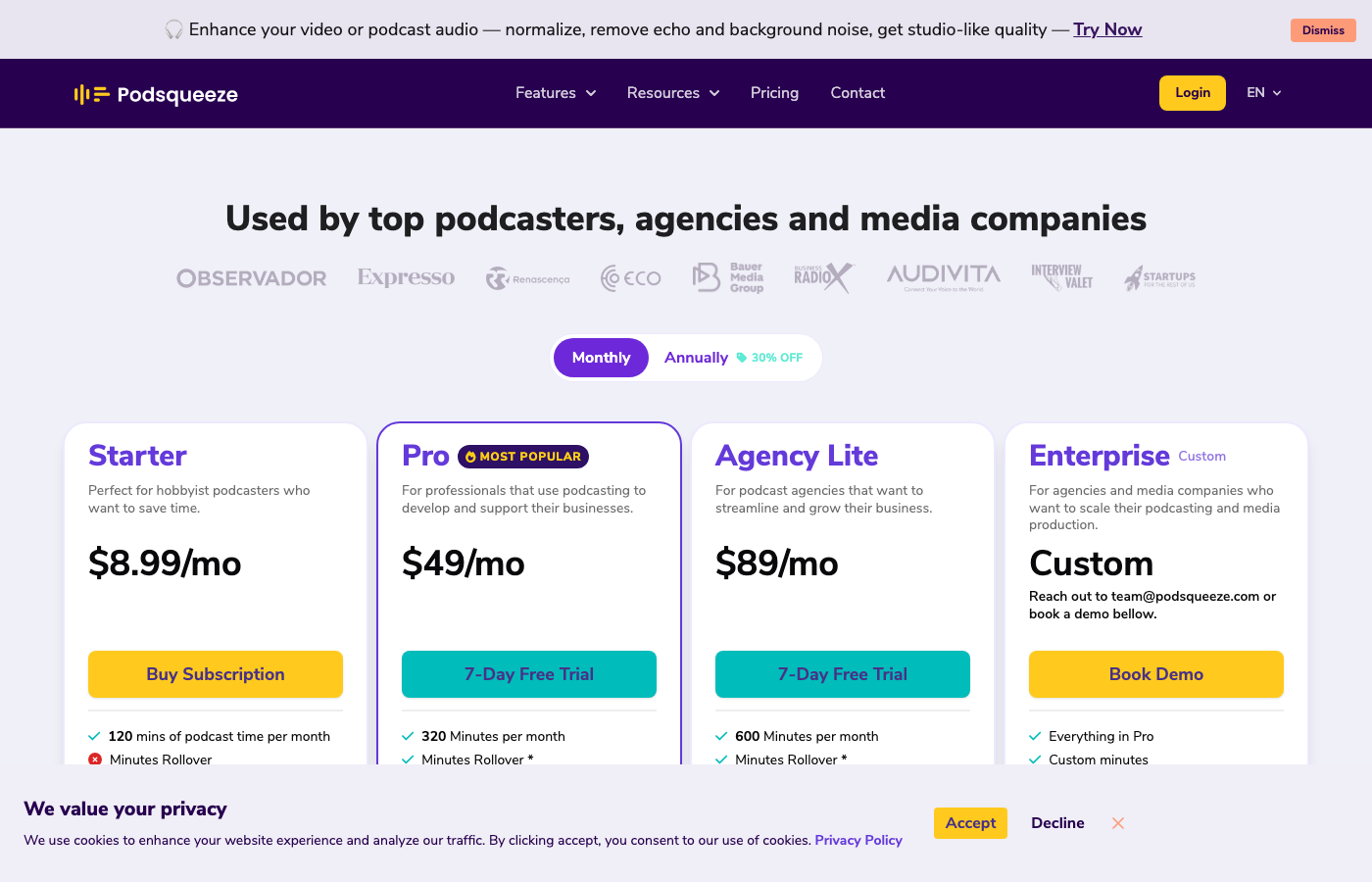
Podsqueeze splits limits into two numbers podcasters actually care about:
| Plan | Podcast minutes/mo | Video clips or audiograms |
|---|---|---|
| Free | 30 | 10 (watermark) |
| Starter | 120 | 8 |
| Pro | 320 | 20 |
| Agency Lite | 600 | 40 |
Paid plans start around $9/mo (Starter) and $49/mo (Pro) on monthly billing — see current pricing for your currency. Minutes can roll over up to 3× your monthly allotment while you stay on plan.
Why this matters for podcasters: transcribing and generating show notes uses minutes; exporting TikToks/Reels uses your clip allowance. You're not spending "episode length" just to download captions or publish notes.
Flarecut — pay-per-export, not per minute

Flarecut uses a different model entirely:
- Free: unlimited video generations with watermark
- Paid: $7.99 one-time for 10 watermark-free downloads (Appscribed pricing notes)
- Credits do not expire; you can regenerate before exporting
There is no monthly minute bucket. You pay when you're happy with a short. That's extremely clear — but it's built for turning text, blog posts, or short audio into faceless shorts, not mining a 90-minute interview for ten clip candidates.
Headliner — export-based audiograms and RSS automation

Headliner is the veteran podcast-to-video tool — audiograms, waveform animations, and branded social clips. Per Headliner's official pricing docs:
| Plan | Approx. cost | Key limits |
|---|---|---|
| Forever Free | $0 | 1 unwatermarked export/mo; unlimited watermarked; 10 min transcription/mo |
| Basic | $14.99/mo or ~$8/mo (annual) | 10 unwatermarked videos/mo; unlimited transcription |
| Pro | $29.99/mo or ~$20/mo (annual) | Unlimited unwatermarked exports; unlimited transcription |
| Enterprise/API | Custom | CMS integrations for media networks |
Podcast math example: if you publish four episodes and want one audiogram each, Basic's 10-export cap covers you. If you also want multiple clips per episode, you'll hit the ceiling fast — Pro's unlimited exports solve that.
Headliner's AutoGram feature pulls from your RSS feed and can deliver branded audiograms automatically when new episodes drop — a workflow reviewers highlight as a major time-saver for consistent social posting. In early 2026, Headliner also made video tools free for a limited promotional period — worth checking current pricing before you commit.
Pricing clarity: Headliner counts exports, not source minutes. That's easier to reason about than Opus Clip credits, though Basic's 10-video cap surprises creators who expect "unlimited" on a paid plan.
Tool-by-tool for podcast clips
Podsqueeze — podcast-first clips + show notes

Podsqueeze is built around the full podcast repurposing loop:
- Upload audio or video (or pull from RSS / YouTube).
- AI transcribes, chapters the episode, and drafts show notes with timestamps.
- Pick a chapter or moment → generate a captioned clip or audiogram.
- Export social copy, newsletters, blogs, and quote images from the same transcript.
Captions: Generated automatically; trim clips by editing subtitle lines in the clip maker.
Show notes: One-click summaries, bullet takeaways, and episode descriptions — not an add-on.
Best if: You publish weekly episodes and want clips plus written assets without juggling three tools.
Opus Clip — best-in-class clipping engine
Opus Clip remains the category leader for AI moment detection on long-form video. Virality scoring, speaker-aware reframing, and caption styling are mature and fast.
Captions: Strong dynamic captions; translation on Pro+.
Show notes: Not native — you'll pair Opus Clip with a transcript tool or manual writing.
Best if: Your primary job is shipping 10+ vertical clips per week from video podcasts or YouTube replays, and you already have show notes handled elsewhere.
Headliner — audiograms and RSS-to-social automation
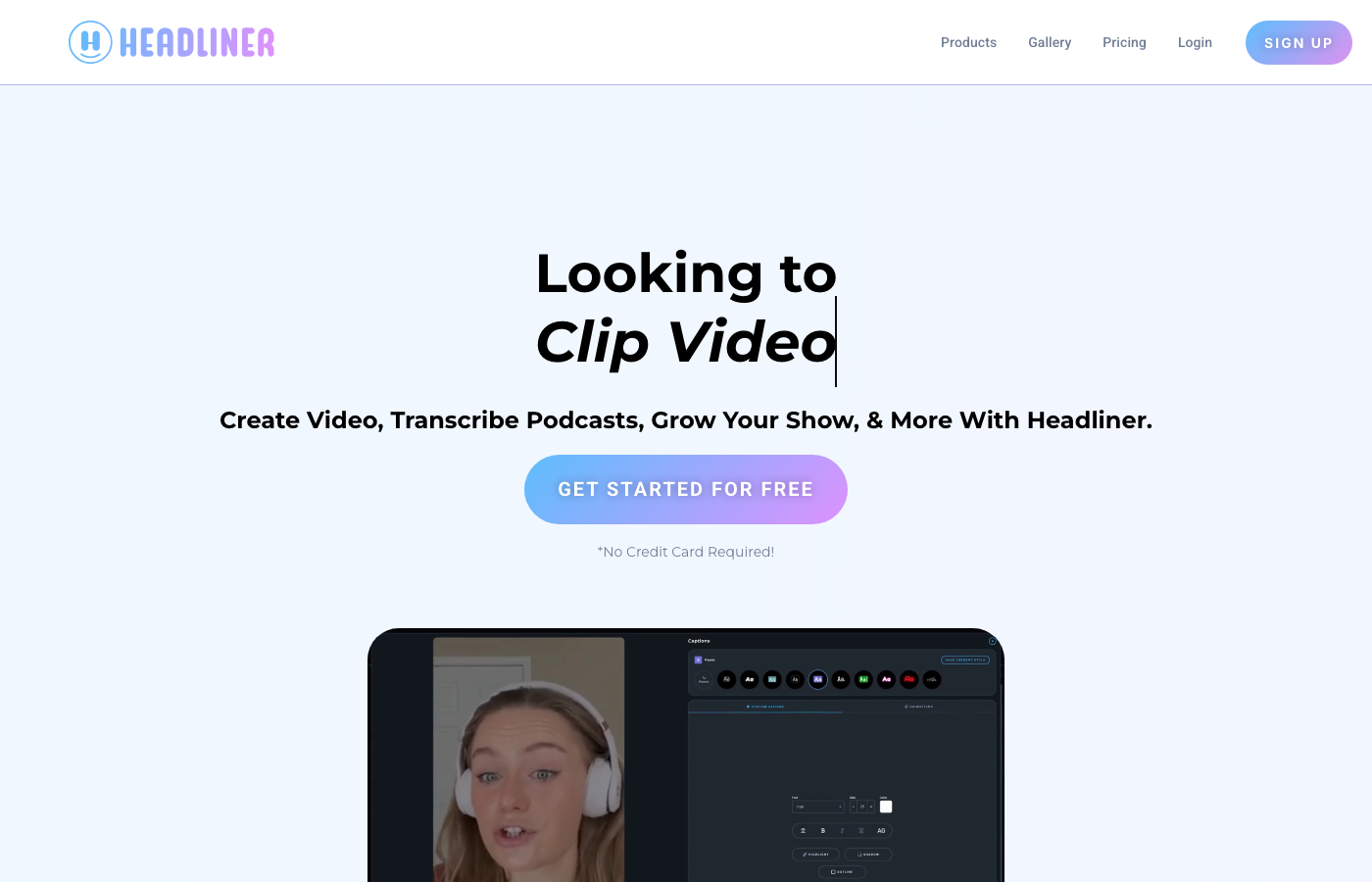
Headliner has been the go-to audiogram tool for years — trusted by 1.5M+ creators according to their site. The workflow is visual-first: upload audio or video, pick a template, add waveform animation and captions, export for Instagram, TikTok, or YouTube.
Captions: Built-in caption editor; supports full-video and clip captions.
Show notes: AI-generated show notes, social captions, and SEO keywords from the same audio file on supported plans.
Clipping: Video clipping tool surfaces up to 10 moments from full-length video — less aggressive than Opus Clip's virality engine, but solid for highlight reels.
Best if: You're an audio-first podcaster who wants polished audiograms, RSS-triggered AutoGram delivery, and branded templates — and you're fine styling clips manually or on Pro for unlimited exports.
Flarecut — budget faceless shorts from scripts
Flarecut shines when you want to repurpose written content into TikTok/Shorts-style videos: paste a blog URL, write a script, or upload short audio. AI voiceover, backgrounds, and subtitles are included.
Captions: Yes, on generated shorts.
Show notes: No — input is usually a script or article, not a full episode transcript workflow.
Best if: You need cheap, watermark-free exports for faceless channels or promotional snippets — not for clipping a full Joe Rogan-style interview.
Which Opus Clip alternative should you pick?
| You need… | Pick |
|---|---|
| Clips + show notes + social copy in one place | Podsqueeze |
| Maximum clip detection quality from long video | Opus Clip |
| Audiograms + RSS-to-social automation | Headliner |
| Cheapest path to a few faceless shorts from text/audio | Flarecut |
| Predictable podcast budget (mins + clips listed separately) | Podsqueeze |
| Branded audiogram templates with waveform styling | Headliner |
| Virality scoring + social scheduler in one clip tool | Opus Clip |
| No subscription, pay only when you export | Flarecut |
Many podcasters pair Headliner or Podsqueeze for audiograms with a dedicated clip miner like Opus Clip for video podcasts. Flarecut fits a different niche — turning newsletter copy or blog posts into faceless video.
Headliner vs Podsqueeze: both cover audiograms, captions, and show notes. Headliner leads on RSS AutoGram automation and template styling; Podsqueeze leads on AI chapter selection and bundling blogs, newsletters, and quote images from the same transcript.
Frequently Asked Questions
Is Podsqueeze a good Opus Clip alternative for podcasts?
Yes — if your goal is more than clips alone. Podsqueeze matches Opus Clip on captioned short video and audiograms, and adds show notes, timestamps, newsletters, and blogs from the same upload. Opus Clip still wins on pure clip-detection volume for video-first creators.
How does Opus Clip pricing compare to Podsqueeze for a weekly 45-minute show?
Four episodes ≈ 180 source minutes/month. On Opus Clip, that's 180 credits — above Starter's 150-min tier. On Podsqueeze Pro (320 mins, 20 clips), you have headroom for transcription, show notes, and up to 20 clip exports.
How does Headliner compare to Opus Clip for podcasters?
Headliner is built for podcast audiograms and branded social video — especially audio-only shows. Opus Clip is built for mining long video for viral vertical clips. Headliner prices by exports per month; Opus Clip prices by source minutes processed. For a video podcast needing 15+ AI-suggested clips per episode, Opus Clip or Podsqueeze fit better. For one audiogram per episode via RSS, Headliner's AutoGram is hard to beat.
Does Flarecut replace Opus Clip for podcast clipping?
Not really. Flarecut converts scripts, articles, or short audio into faceless shorts. It doesn't analyze a full podcast episode for highlight moments the way Opus Clip, Podsqueeze, or Headliner do.
Do all four tools add captions automatically?
Yes. All four generate subtitles/captions on exported shorts. Podsqueeze, Opus Clip, and Headliner let you edit captions in their editors; Flarecut bakes them into generated faceless videos.
Which tool has the clearest pricing?
Flarecut is simplest (pay per export, no subscription). Headliner is straightforward on paid tiers (export count per month). Podsqueeze is clearest for full-episode workflows (minutes + clips on each plan). Opus Clip is powerful but credit-per-minute math surprises users who expect per-clip billing — a recurring theme in Reddit-sourced roundups.
Switch from Opus Clip to an all-in-one podcast workflow
Get captioned clips, show notes, and social posts from one episode upload — free to try, no credit card required.