Podcast trailer maker that finds your best lines
Ask for a teaser and the AI reads the whole episode, picks the strongest moments from start to finish and joins them into one short clip, with captions and the speakers in frame.
Used by podcasters, networks and media around the world












How it works
A teaser in three steps
No listening back through the whole episode with a notepad.
Upload the episode
Video or audio-only, any length.
Ask for a teaser (Pro)
The AI picks 5–7 moments spread across the episode.
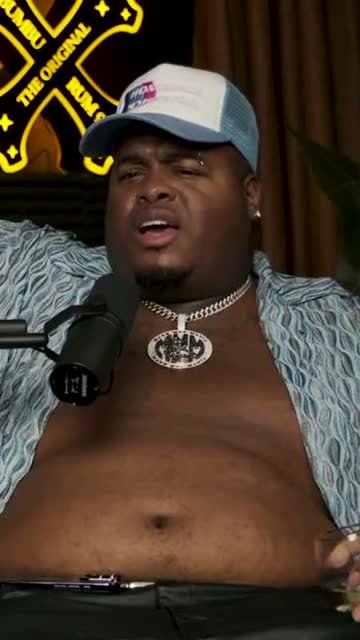
Where crunk really started
Publish it before the episode
A captioned clip for your feed, YouTube and your show page.
AI agent
An assistant that has read your whole episode
It can find single clips or build a teaser from lines all over the episode, and change either one when you ask.
It finds moments
Clips to post around the release
“Three moments with the guest, under 40 seconds.” Clips that stand on their own.
It builds the teaser
The strongest lines, joined
“Make a teaser with the best lines.” Five to seven moments from across the episode, joined into one captioned clip.
Reads the full episode
Not just the first ten minutes.
Spreads the picks
Lines from the beginning, middle and end.
Every change listed
And every change can be undone.
Editor
Fine-tune the teaser before it goes out
Change the captions, add your logo and the episode title, and set music under the voices, all on the same teaser.
Swipe to see the whole editor →
1Text on screen
Add the episode title or a date.
2Your logo
In the corner of every teaser.
3Music
A track under the voices.
4Formats
9:16, 1:1 and 16:9 versions.
Captions
Teasers that work with the sound off
The teaser gets animated, word-by-word captions in your style, so it plays well on feeds where most people scroll on mute.
- Six caption styles
- Your font and colours
- Burned into the MP4
Caption presets
Video podcasts
Teasers that look as good as they sound
Each line is framed on the person speaking, or on both people when the reaction matters.
Every voice in the teaser, in frame
For video podcasts, the frame follows whoever is speaking in each line of the teaser, host or guest.
Show host and guest together
When a line lands because of the reaction, switch that teaser to split screen and keep both faces on screen.
Your edit
Swap a line by editing the transcript
Don't love one of the picks? Remove it in the transcript and include another sentence; the teaser updates.
- Remove any line
- Include another one
- The video follows the text
“Weird Al” Yankovic 12:44
✦ Cut the “um”sSo, um, I talked to him on the phone and I said, listen, I'd like to do a parody of your song. You know, and he said, oh, is it gonna be a song about food? This was the first time Nirvana played Saturday Night Live.
Audio-only shows
No video? Your teaser becomes an audiogram
For audio podcasts, the teaser plays over your cover art with a waveform that moves with the voice and the same animated captions.
- Your cover art
- Seven waveform styles
- Captions included

The one email that grew our show
The Long Table · Ep. 18
We
The one email that grew our show
The Long Table · Ep. 18
We
Release
Post the teaser before the episode lands
Download the MP4 for Instagram, TikTok and LinkedIn, or schedule it to YouTube Shorts on the day before release.
- Captioned MP4s
- Scheduling to YouTube Shorts
- Square and wide versions
YouTube Shorts
Off the Record · connected
Mon
Tue
Wed
Thu
Fri
Details
Everything a launch post needs
Show branding
Your logo, colours and fonts on every teaser.
Every format
9:16, 1:1 and 16:9 from one edit.
A soundtrack
Royalty-free music under the voices.
Show notes too
Titles, descriptions and chapters for the episode.
Why Podsqueeze
An AI teaser vs cutting one by hand
| Feature | Podsqueeze | Editing by hand |
|---|---|---|
| Reads the whole episode for lines | You listen back | |
| Joins 5–7 moments into one clip | By hand | |
| Captions on every line | By hand | |
| Works for audio-only shows | ||
| Change it by asking |
Loved by the people who make the shows
What is a podcast trailer maker?
A podcast trailer maker helps you create a short promotional clip for your show or an episode. The hardest part is choosing what goes in: the lines that make someone want to listen to the whole thing. Podsqueeze does that part with AI, reading the full episode and picking the strongest moments from beginning to end.
How to make a podcast teaser with AI
- Upload the episode. Video or audio-only.
- Ask the assistant for a teaser. For example, "make a 45-second teaser with the best lines".
- Review the picks. Remove or swap any line in the transcript.
- Style it. Captions, your logo, the episode title, music.
- Publish before the episode. Post it the day before release, then share clips after.
How long should a podcast trailer be?
- Episode teasers: 40 to 60 seconds, five to seven short lines.
- Show trailers: one to two minutes, introducing the host, the topic and why to subscribe.
- Social posts: under 60 seconds for most feeds.
What makes a good podcast teaser
- Open on the strongest line, not on the intro music.
- Mix voices when the episode has a guest.
- Leave a question open so people want the full episode.
- End with the show name and when the episode is out.
Why make teasers with Podsqueeze
It reads the whole episode, not just the first minutes, joins the best lines into one captioned clip and works for audio-only shows too. Try it free on your next release.
FAQ
Podcast trailers and teasers, answered
Can't find what you're looking for? Our team answers within a day.
What's the difference between a podcast trailer and a teaser?
A trailer usually introduces the whole show, often before launch. A teaser promotes one episode with a few of its best lines. Podsqueeze builds teasers from an episode's own moments; for a show trailer, build a teaser from your strongest episode.
How long should a podcast teaser be?
Around 40 to 60 seconds works for most feeds. Podsqueeze aims for that by default, and you can ask for any length.
Does it work for audio-only podcasts?
Yes. The teaser plays as an audiogram with your cover art, a moving waveform and captions.
Can I choose the lines myself?
Yes. Remove any line in the transcript and include another; the teaser updates.
Is it free?
The assistant that builds teasers for you is part of the Pro plan. On the free plan you can build one yourself by including lines in the transcript, with a small watermark.
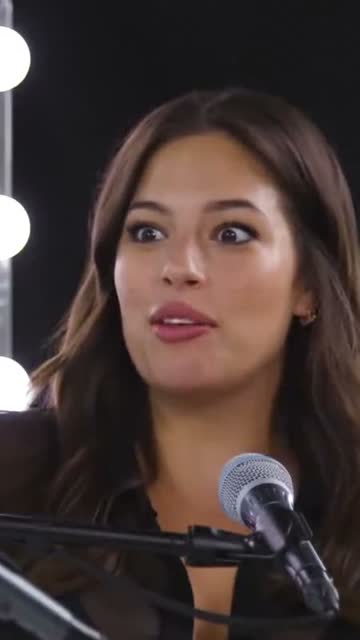
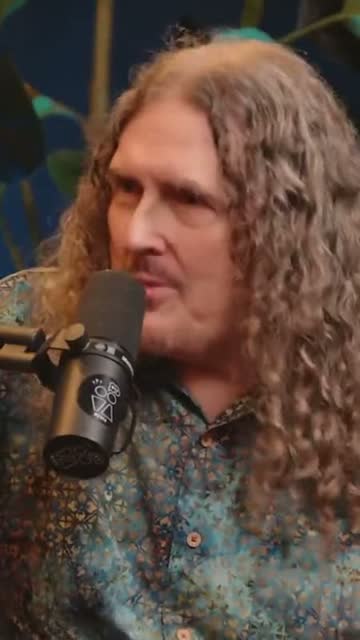
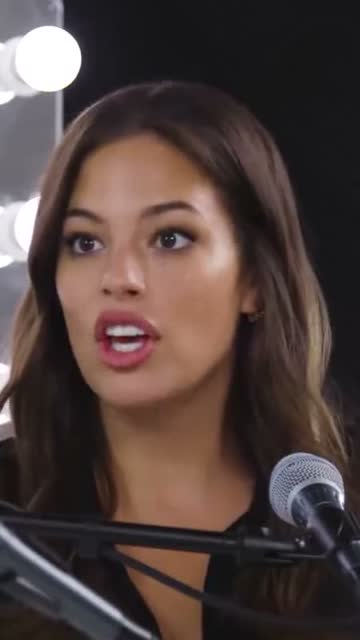
Your next episode deserves a teaser
Upload it and ask for the best lines. Done in minutes.
Free plan · No credit card · Audio or video