Long video to short video, done in one upload
Upload a webinar, a talk, a vlog or a podcast recording. Podsqueeze cuts it into short videos, reframes each one to vertical and burns in the captions, ready for TikTok, Reels and Shorts.
✦Reading the episode… 0 of 58 min
Used by podcasters, networks and media around the world












How the converter works
Upload once, get shorts for every platform
No cutting, cropping or captioning by hand.
Upload the long video
A recording, a talk or a podcast, even hours long. Or paste a YouTube link.
Get short videos back
The best parts, reframed to 9:16, with captions burned in.
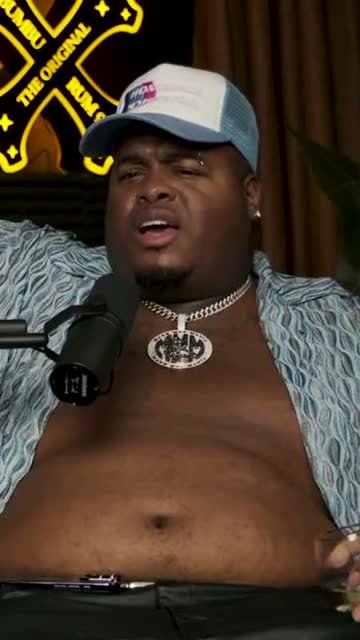
Where crunk really started
Download or schedule
MP4s for TikTok, Reels and LinkedIn, or straight to YouTube Shorts.
AI agent
One long video in, the shorts you asked for out
Tell it the topic, the length or the platform. It reads the whole recording, cuts the shorts and edits them when you ask.
It cuts the shorts
Describe the shorts you want
“Five tips, under 40 seconds each, for TikTok.” It comes back with shorts that stand on their own, each titled and ready to check.
It edits them
Then ask for tweaks
New captions, a lower third, different music or a tighter cut. Every change is listed and can be undone.
Reads the whole recording
Minute 2 or minute 82, nothing gets skipped.
Lists every change
You always know what it did, and can undo it.
Works in 15 languages
Ask in the language you think in.
The editor
A real editor behind every short
When you want control, it's there. Trim in the transcript, drag elements on the timeline and change any setting; the assistant and the controls work on the same short.
Swipe to see the whole editor →
1Type it or do it
Ask for the change, or make it yourself in two clicks.
2Trimming by text
The transcript cuts the video for you.
3Layers on a timeline
Captions, lower thirds, music and logos, timed to the second.
4One look for every short
Set your layout once and every new short uses it.
Subtitles included
Subtitles burned into every short
Short videos get watched on mute. Every short comes with word-by-word captions burned in, in a style you pick once and reuse.
- Six caption styles
- Your font and colours
- Transcribed in more than 15 languages
Caption presets
Reframing
Wide to vertical, automatically
Every short is reframed for phones. The active speaker stays in view, or two people share the screen.
From 16:9 to 9:16 without losing the speaker
Converting a wide video to vertical usually means cropping by hand, shot by shot. Podsqueeze tracks who is talking and keeps them centred as the conversation moves.
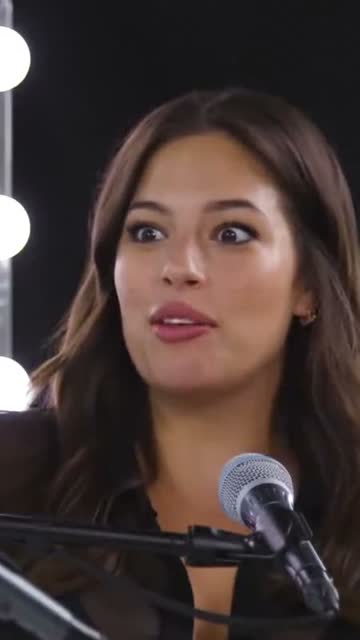
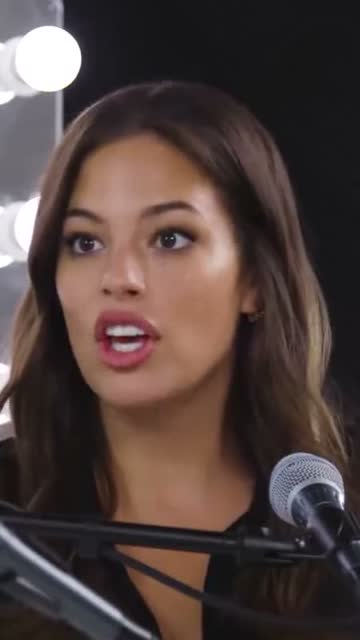
Two people on camera? Show them both
Panels, interviews and conversations with two speakers become a top-and-bottom layout, each face framed, instead of a crop that keeps cutting someone off.
Cut by text
Shorten a short by deleting words
Every short comes with its transcript. Delete words and they're cut from the video, or ask the assistant to drop the filler words to bring a clip under the length you need.
- Fillers cut when you ask
- Fix a misheard word, captions follow
- Trim or extend by a sentence
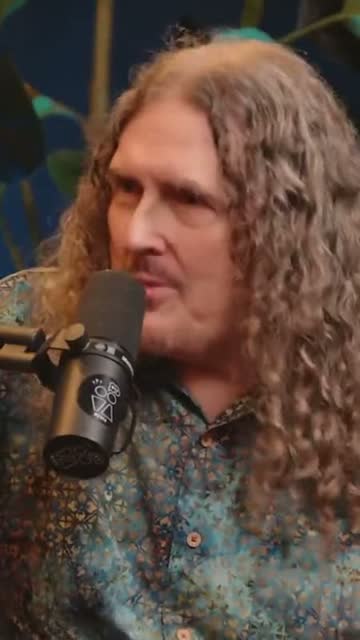
“Weird Al” Yankovic 12:44
✦ Cut the “um”sSo, um, I talked to him on the phone and I said, listen, I'd like to do a parody of your song. You know, and he said, oh, is it gonna be a song about food? This was the first time Nirvana played Saturday Night Live.
Every platform
Every platform, from one long video
Download MP4s sized for TikTok, Instagram Reels and LinkedIn, or schedule them straight to YouTube Shorts from Podsqueeze.
- Vertical MP4s ready to upload
- Scheduling to YouTube Shorts
- Square and wide versions too
YouTube Shorts
Off the Record · connected
Mon
Tue
Wed
Thu
Fri
Details
Converted, captioned and on-brand
The same look on every short
Save your colours, fonts, logo and lower thirds as a layout.
Three aspect ratios
9:16, 1:1 and 16:9 from the same project.
Background music
Royalty-free tracks, mixed under the voices.
Text for the full video
Show notes, chapters and social posts from the same upload.
Why Podsqueeze
Converting by hand vs converting with Podsqueeze
| Feature | Podsqueeze | Manual editing |
|---|---|---|
| Finds the moments worth a short | By hand | |
| Reframes 16:9 to 9:16 around the speaker | By hand | |
| Burns in animated captions | Basic | |
| Several shorts from one upload | One at a time | |
| Trim by deleting words | ||
| Edits when you ask in plain words |
Loved by the people who make the shows
What is a long video to short video converter?
A long video to short video converter takes a recording that runs for half an hour or more, like a webinar, a talk, a vlog or a podcast, and turns it into short vertical videos for TikTok, Instagram Reels and YouTube Shorts. A good one doesn't just chop the video into equal pieces: it finds the moments that make sense on their own, reframes them from 16:9 to 9:16 and adds captions people can read on mute.
How to turn a long video into short videos
- Upload the long video. An MP4 from your camera or recording tool, an audio file, or a YouTube link.
- Let the AI find the moments. It reads the full transcript and suggests shorts that open on a hook and end cleanly, each with a title.
- Check the framing. The vertical crop follows whoever is speaking. With two people on camera, switch to a top-and-bottom layout.
- Tidy up the shorts. Delete words in the transcript, or ask the assistant to cut the filler words or make a shorter version.
- Export or schedule. Download vertical MP4s for TikTok and Reels, or schedule them as YouTube Shorts.
What makes a short video work
- A hook in the first seconds. Start on the line that makes people stay, not on the introduction.
- One idea per short. A single story, tip or answer is easier to follow than a summary.
- A clean ending. End on a finished sentence, not halfway through a thought.
- Captions on. Most people scroll with the sound off, so the words need to be on screen.
- Vertical framing. A 9:16 frame with the speaker in the middle fills the phone screen.
Which long videos convert best
Conversations and talks convert best: podcasts, interviews, panels, webinars, lectures and Q&A sessions. They are full of moments that stand on their own. Screen recordings and slideshows can work too, as long as someone is explaining something worth hearing.
Why convert with Podsqueeze
Podsqueeze was built for long conversations. It picks moments the way an editor would, keeps the speaker in frame, burns in captions in the style you choose and gives you a full editor when you want to change something. There's a free plan to convert your next video.
FAQ
Converting long videos, explained
Can't find what you're looking for? Our team answers within a day.
How do I convert a long video into short videos?
Upload the video or paste a YouTube link. Podsqueeze finds the moments that work on their own, reframes them to 9:16 around the speaker and adds captions. You get several short videos to check, edit and download.
How many short videos do I get from one long video?
It depends on the video. The AI keeps the moments that stand on their own, and you can ask for more, or for a specific topic or length.
Which files can I upload?
Video files such as MP4, audio files, or a link to a YouTube video.
How long are the short videos?
Between 15 and 90 seconds, which suits TikTok, Instagram Reels and YouTube Shorts. You can make any short longer or shorter in the editor.
Is the converter free?
Yes. The free plan lets you convert videos with a small watermark on the shorts. Paid plans remove the watermark and give you more minutes every month; the editing assistant is on Pro.
Can I keep a 16:9 version too?
Yes. Each short can be exported as 9:16, 1:1 or 16:9, so the same moment can go out as a vertical short and as a wide clip.
That long recording has a week of shorts in it
Upload it or paste a link. Short videos, reframed and captioned, in minutes.
Free plan · No credit card · MP4 or YouTube link