















PodsqueezeChatGPT

Podcast MCP serverTranscribe, write and clip your podcast from Claude or ChatGPT

Connect Podsqueeze to the chat you already use. It reads every episode, transcript and clip in your account, writes the show notes and posts, and edits the clips when you ask.

Connect Podsqueeze
MCP server addresshttps://mcp.podsqueeze.com/mcp
✓Claude and ChatGPT✓Claude Code and Cursor✓One address to connect
Send any episode
  • blocks-weird-al.mp4Video or audio file
  • Duke Deuce on the origin of crunkYouTube link
  • Ashley Graham on starting overAlready in your Podsqueeze
Podsqueeze connected

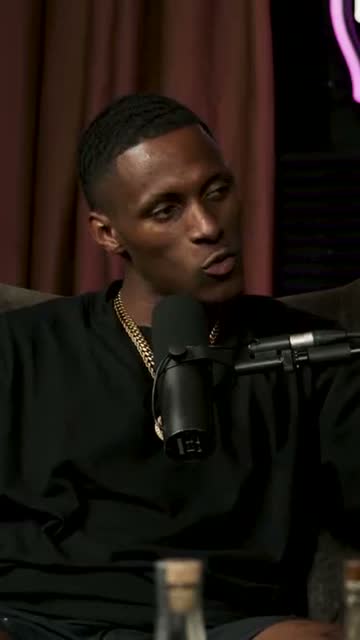
Make three clips from the Duke Deuce episode, under a minute each.

Podsqueeze made 3 clips

Here are three moments that stand on their own, with captions and the speaker in frame.

0:42It started in the 80s
0:55We still don't get the flowers
0:38How was Memphis taking it?

Used by podcasters, networks and media around the world

  • Podnews
  • Transistor
  • The Podcast Host
  • School of Podcasting
  • Semrush
  • Business Insider
  • Observador
  • Expresso
  • ECO
  • Renascença
  • Business RadioX
  • Rich Roll

What you can ask

Ask for transcripts, show notes, clips and edits in plain words

No menus to learn. Say what you need and Podsqueeze does the work behind the chat.

Transcript

“Transcribe this episode and tell me who said what.”

A transcript with every speaker named and every line timed.

Show notes

“Write the show notes and chapters for my last episode.”

Show notes, timestamps and titles in your show's voice.

Newsletter and posts

“Turn it into a newsletter and three LinkedIn posts.”

Each piece written from the episode, ready to edit in the chat.

Clips

“Find the three best moments about pricing, under a minute.”

Clips with captions, framed on whoever is talking.

Clip edits

“Make the captions yellow and cut the first sentence.”

The clip changed as asked, with every change listed.

Export

“Export the second one as an MP4.”

A download link when the render is done.

Transcripts

Podcast transcripts in Claude or ChatGPT, with speakers and timestamps

Give it a link and Podsqueeze transcribes the whole episode, with every speaker named and every line timed. From then on the chat can quote it, search it and build on it.

  • Speaker labels and timestamps
  • Many languages
  • Every episode you've made, one question away

See how podcast transcription works →

ChatGPTPodsqueeze connected
blocks-weird-al.mp3Audio · 68 min

Transcribe this and tell me who said what.

Podsqueeze connected
“Weird Al” Yankovic | Blocks w/ Neal BrennanYouTube link

Write the show notes, chapters, titles and a post for this episode.

Written content

Show notes, chapters and social posts you can rewrite in the chat

Ask for the show notes, the chapters, a newsletter or the week's posts. Podsqueeze writes them from the episode in your show's voice, and the chat can rework any piece and save it back.

  • Show notes
  • Timestamps and chapters
  • Titles
  • Blog post
  • Newsletter
  • LinkedIn and social posts

Ask for a change in plain words, then say "save it" to keep it in Podsqueeze.

See the podcast show notes generator →

Shown in the chat

Find any episode, play its clips and export MP4s without leaving the chat

The assistant reads everything in your Podsqueeze account and answers with the episode list, the progress of a new episode, the contents and the clips inside the message, ready to open, copy or export.

Podsqueeze connected

Show me my latest episodes.

  • Clips play in the chat
  • Export as MP4
  • Open any episode in Podsqueeze
Justin Jackson
“Of all the best AI transcription tools we tested, Podsqueeze generated the most useful outputs for Show Notes, Timestamps, Titles, Mentions, Sample Blog Posts, and Key Quotes.”
Justin Jackson · Co-founder of Transistor.fm

Clips and audiograms

Make podcast clips by asking, then change the captions, length or layout

Name the moments you want, or let Podsqueeze choose them. Clips come back with captions and the speaker in frame, and you change them by asking.

It finds the clips

"Three clips about the book, under a minute"

Podsqueeze reads the whole episode and comes back with moments that stand on their own, each with a title and a hook.

Find the moments most likely to work on TikTok and Reels. Under 45 seconds.
Ask for anything… ↑

It edits them

"Yellow captions, and cut the first sentence"

Captions, length, format, a name on screen. Every change is listed, and the clip exports as an MP4 when you say so.

Itoldmy
0:41
Captions in yellow, add a lower third with his name and a calm track
Ask for anything… ↑

Reads the whole episode

Moments from minute 3 or minute 53, and teasers that join them.

Shows its work

Every change listed. Nothing is final until you say so.

Speaks your language

Ask in English, Portuguese, Spanish and 12 more.

Auto framing

Vertical clips with face tracking and split screen

Face tracking follows whoever is talking, and split screen keeps host and guest together. Audio-only episodes become audiograms.

Face tracking on whoever is talking

Turning a wide podcast shot into a vertical clip usually means cropping by hand. Podsqueeze listens to the voices and watches the lips, and keeps the speaker in frame with calm, steady moves.

Speaker 1Speaker 2
Trackingvoicelips

Split screen for host and guest

For a real back-and-forth, show host and guest together, one above the other, each with their face centred. Switch between auto camera and split screen in one click.

Auto cameraSplit screen
Itriedmaking

Set up once

Connect Podsqueeze in a couple of minutes

One address for every chat. Your Podsqueeze API token is the key.

MCP server addresshttps://mcp.podsqueeze.com/mcp
  1. 1

    Copy your API token

    In your Podsqueeze dashboard, open API Access in the sidebar and copy the token.

  2. 2

    Open Settings, then Connectors

    In Claude, choose Add custom connector.

  3. 3

    Paste the server address

    https://mcp.podsqueeze.com/mcp
  4. 4

    Paste your token to approve

    Claude opens a Podsqueeze page. Paste the API token there, once.

  5. 5

    Ask for what you need

    Name an episode or paste a link, and say what you want from it.

What podcasters say about Podsqueeze

Loading...

What a podcast MCP server does

MCP (Model Context Protocol) is how AI chats such as Claude and ChatGPT use outside tools. A podcast MCP server gives the chat the tools a podcaster needs: transcribe an episode, read what was said, write from it and cut clips from it. With the Podsqueeze MCP connected, you ask in plain words and the work happens in your Podsqueeze account.

Podcast repurposing, from one conversation

The usual routine is a transcription app, a writing tool and a clip maker, with text copied between them. Here it is one conversation: "transcribe this", "write the show notes", "turn it into a newsletter", "make three clips". Everything is saved in Podsqueeze, so the episode is there the next time you ask, from any chat you have connected.

Who it is for

Podcasters who already draft in Claude or ChatGPT, producers who manage several shows, and developers who want podcast content inside Claude Code or Cursor.

More ways to use the Podsqueeze MCP

FAQ

The Podsqueeze MCP, answered

Can't find what you're looking for? Our team answers within a day.

Contact us →

What is the Podsqueeze MCP?

It is a podcast MCP server: a connection that lets an AI chat use your Podsqueeze account. The chat can send episodes to be transcribed, read the transcript and the written content, and make, edit and export clips.

Which AI apps does the Podsqueeze MCP work with?

Claude, ChatGPT (in developer mode), Claude Code and Cursor, and other apps that connect to a remote MCP server by its address.

How do I give it an episode?

Paste a public link to the audio or video, give it a YouTube link, or name an episode that is already in your Podsqueeze. In ChatGPT you can also attach the file to the message.

Does it use my Podsqueeze plan?

Yes. Transcription minutes and clip exports count as they do in the Podsqueeze app, and Podsqueeze's own clips assistant is part of the Pro plan.

Is it safe to connect my account?

The MCP server keeps no data. Every request is made with your Podsqueeze API token, and regenerating the token in Podsqueeze disconnects every chat at once.

Is it a podcast repurposing MCP?

Yes, that is its main job: one episode becomes a transcript, show notes, a newsletter, social posts and short clips, all asked for in the chat.

Transcribe, write and clip your next episode from the chat

Connect Podsqueeze, paste the episode's link and ask for what you need.

Connect Podsqueeze

Claude and ChatGPT · Claude Code and Cursor · One address to connect