












Podsqueeze

Can Claude transcribe audio?Yes, Claude can transcribe audio with Podsqueeze connected

Add Podsqueeze as a connector in Claude, give it a link to a podcast episode or a recording, and get an accurate transcript with speaker labels and timestamps. Then ask Claude anything about it.

Connect Podsqueeze to Claude
MCP server addresshttps://mcp.podsqueeze.com/mcp
✓Speaker labels✓Timestamps✓Many languages
Send any episode
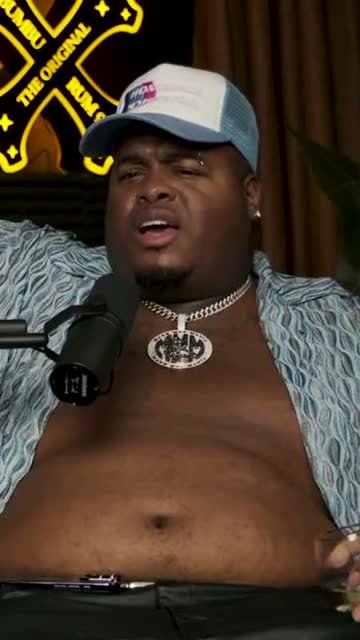
  • Duke Deuce on the origin of crunkYouTube link
  • Calling Kurt CobainLink to an audio or video file
  • Ashley Graham on starting overAlready in your Podsqueeze
Podsqueeze connected

Transcribe this episode and tell me who said what.

Podsqueeze transcribed the episode

Done. Two speakers, every line timed. It opens like this:

Jay Hill How did crunk come about?

Duke Deuce It really started in the 80s.

Used by podcasters, networks and media around the world

  • Podnews
  • Transistor
  • The Podcast Host
  • School of Podcasting
  • Semrush
  • Business Insider
  • Observador
  • Expresso
  • ECO
  • Renascença
  • Business RadioX
  • Rich Roll

What you can ask

What to ask Claude

Start with the transcript, then keep going in the same conversation.

Transcribe

“Transcribe this episode and tell me who said what.”

A transcript with every speaker named and every line timed.

Find

“What did the guest say about pricing? Give me the exact words.”

The quote, who said it and when.

Summarise

“Summarise the episode in five points.”

A summary that comes from the whole recording, not a guess.

Show notes

“Write the show notes and chapters.”

Show notes, timestamps and titles in your show's voice.

Translate

“Give me the first ten minutes in Spanish.”

Claude translates from an accurate transcript.

Clips

“Make three clips of the best moments.”

Clips with captions, framed on whoever is talking.

Claude transcription

An accurate transcript, with every speaker named

Podsqueeze listens to the whole recording and gives Claude a transcript it can work with: who spoke, when, and exactly what they said.

  • Speaker labels and timestamps
  • Many languages
  • SRT and text exports in Podsqueeze

See how podcast transcription works →

Podsqueeze connected
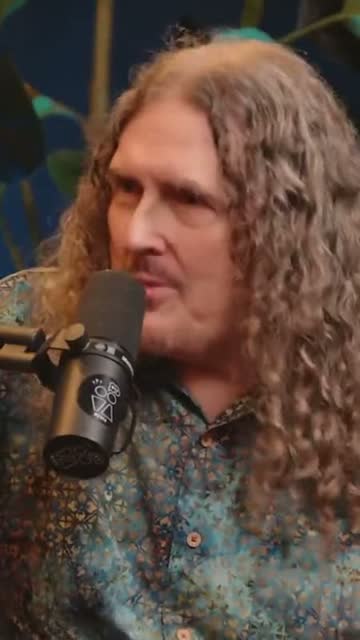
“Weird Al” Yankovic | Blocks w/ Neal BrennanYouTube link

Transcribe this and tell me who said what.

Podsqueeze connected
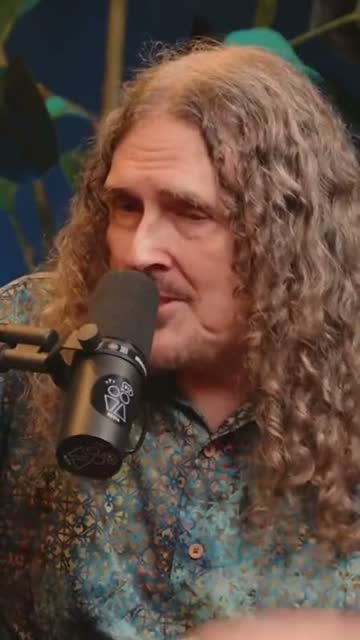
“Weird Al” Yankovic | Blocks w/ Neal BrennanYouTube link

Write the show notes, chapters, titles and a post for this episode.

After the transcript

Summarise the recording, pull quotes and write show notes in Claude

A transcript is where the work starts. With the episode in the conversation, Claude can summarise it, pull quotes with their time, or have Podsqueeze write the show notes, a newsletter and posts.

  • Summary
  • Quotes with timestamps
  • Show notes
  • Chapters
  • Newsletter
  • Social posts

Everything is saved in Podsqueeze, ready the next time you ask.

See the podcast show notes generator →

Shown in the chat

Find any episode, play its clips and export MP4s without leaving the chat

The assistant reads everything in your Podsqueeze account and answers with the episode list, the progress of a new episode, the contents and the clips inside the message, ready to open, copy or export.

Podsqueeze connected

Show me my latest episodes.

  • Clips play in the chat
  • Export as MP4
  • Open any episode in Podsqueeze
Justin Jackson
“Of all the best AI transcription tools we tested, Podsqueeze generated the most useful outputs for Show Notes, Timestamps, Titles, Mentions, Sample Blog Posts, and Key Quotes.”
Justin Jackson · Co-founder of Transistor.fm

And clips, from the same recording

Turn the same recording into short clips with captions

Once the episode is transcribed, ask Claude for clips. Podsqueeze cuts them with captions and the speaker in frame.

It finds the clips

Describe the moments you want

A topic, a guest, a length. Clips come back with titles and hooks.

Find the moments most likely to work on TikTok and Reels. Under 45 seconds.
Ask for anything… ↑

It edits them

Change a clip by asking

Captions, the cut, the format. Every change is listed and can be undone.

Itoldmy
0:41
Captions in yellow, add a lower third with his name and a calm track
Ask for anything… ↑

Reads the whole episode

Moments from minute 3 or minute 53, and teasers that join them.

Shows its work

Every change listed. Nothing is final until you say so.

Speaks your language

Ask in English, Portuguese, Spanish and 12 more.

Set up once

Connect Podsqueeze to Claude in a couple of minutes

One address for every chat. Your Podsqueeze API token is the key.

MCP server addresshttps://mcp.podsqueeze.com/mcp
  1. 1

    Copy your API token

    In your Podsqueeze dashboard, open API Access in the sidebar and copy the token.

  2. 2

    Open Settings, then Connectors

    In Claude, choose Add custom connector.

  3. 3

    Paste the server address

    https://mcp.podsqueeze.com/mcp
  4. 4

    Paste your token to approve

    Claude opens a Podsqueeze page. Paste the API token there, once.

  5. 5

    Ask for what you need

    Name an episode or paste a link, and say what you want from it.

What podcasters say about Podsqueeze

Loading...

Can Claude transcribe audio?

Claude reads and writes text, so for audio it needs a tool that does the listening. The Podsqueeze MCP is that tool. Add it as a connector (Settings, Connectors, Add custom connector), give Claude a link to the recording and ask for the transcript. Podsqueeze transcribes it and Claude gets the text, with who spoke and when.

Claude transcription for whole episodes

Podsqueeze is built for full podcast episodes and interviews, with several speakers and an hour or more of talk. The transcript is saved in your Podsqueeze account, so Claude can come back to it in a later conversation without transcribing again. It works the same in Claude Code.

From the transcript to the rest of the work

With the episode in the conversation, Claude can summarise it, find a quote with its time, or have Podsqueeze write the show notes, a newsletter and posts, and cut short clips.

More ways to use the Podsqueeze MCP

FAQ

Claude audio transcription, answered

Can't find what you're looking for? Our team answers within a day.

Contact us →

Can Claude transcribe audio?

With Podsqueeze connected, yes. Claude works with text, so it needs a tool that listens. Podsqueeze is that tool: it transcribes the recording with speaker labels and timestamps and hands the transcript to the conversation.

How accurate is the transcript?

Podsqueeze transcribes with high accuracy, names each speaker and times every line. You can correct a name once in Podsqueeze and it is fixed everywhere.

Which files and links can I transcribe?

A public link to an audio or video file, a YouTube video, or any episode already in your Podsqueeze.

Can it transcribe long recordings?

Yes. Podsqueeze is made for full podcast episodes and transcribes in the background while the chat reports progress. Minutes count against your Podsqueeze plan.

Which languages are supported?

Podsqueeze transcribes in many languages, and writes the content in the language of the episode.

Is it safe to connect my account?

The MCP server keeps no data. Every request is made with your Podsqueeze API token, and regenerating the token in Podsqueeze disconnects every chat at once.

Paste the link, get the transcript

Connect Podsqueeze to Claude once and transcribe every episode from the chat.

Connect Podsqueeze to Claude

Speaker labels · Timestamps · Many languages