PRODUCT FEATURE
AI Video Summarizer
Last updated: 10/20/2026
Summarize any video in minutes—not hours. Paste a YouTube link or upload MP4, MOV, or audio files to get a timestamped transcript, AI summary, chapter breakdown, and ready-to-publish show notes. Then turn highlights into clips for Shorts, Reels, and social.
Used Language
Transcript → AI summary → clips & show notes in one workflow
Sample output
How to Build a Content System
TL;DR
Turn one long video into transcripts, chapter summaries, and short clips—so you publish faster without rewatching the full episode.
Key takeaways
- •Start with a transcript as your source of truth
- •Generate chapters with timestamps automatically
- •Export show notes, posts, and clips from one workflow
Chapters
00:00 — Why summaries matter for video SEO
04:12 — Transcript → show notes workflow
09:45 — Turning highlights into clips














TRANSCRIPT → SUMMARY → CLIPS
One video in, full content system out
Accurate transcript first
Every summary starts from a high-accuracy transcript with timestamps and speaker labels. Use it for captions, SEO, accessibility, and as the foundation for every asset you publish next.
AI summaries that save hours
Get TL;DR summaries, bullet-point takeaways, chapter titles with timestamps, and episode descriptions—structured so your audience can skim, jump in, and share faster without watching the full video.
Clips and show notes in one flow
Turn highlights into short clips, audiograms, and social posts. Export show notes for YouTube descriptions, blog posts, and newsletters—all from the same workflow, without switching tools.
SIMPLE WORKFLOW
How to summarize a video with Podsqueeze
1. Paste a URL or upload your file
Add a YouTube link or upload a video/audio file (MP4, MOV, MP3, WAV, and more). Pick your language and click summarize.2. Get transcript + AI summary
Podsqueeze transcribes your video and generates structured outputs—summary, chapters, bullet points, and show notes—alongside a searchable, timestamped transcript.3. Export clips and publish
Jump from summary to clips, refine wording in the editor, and copy outputs straight into YouTube, your site, or your newsletter tool.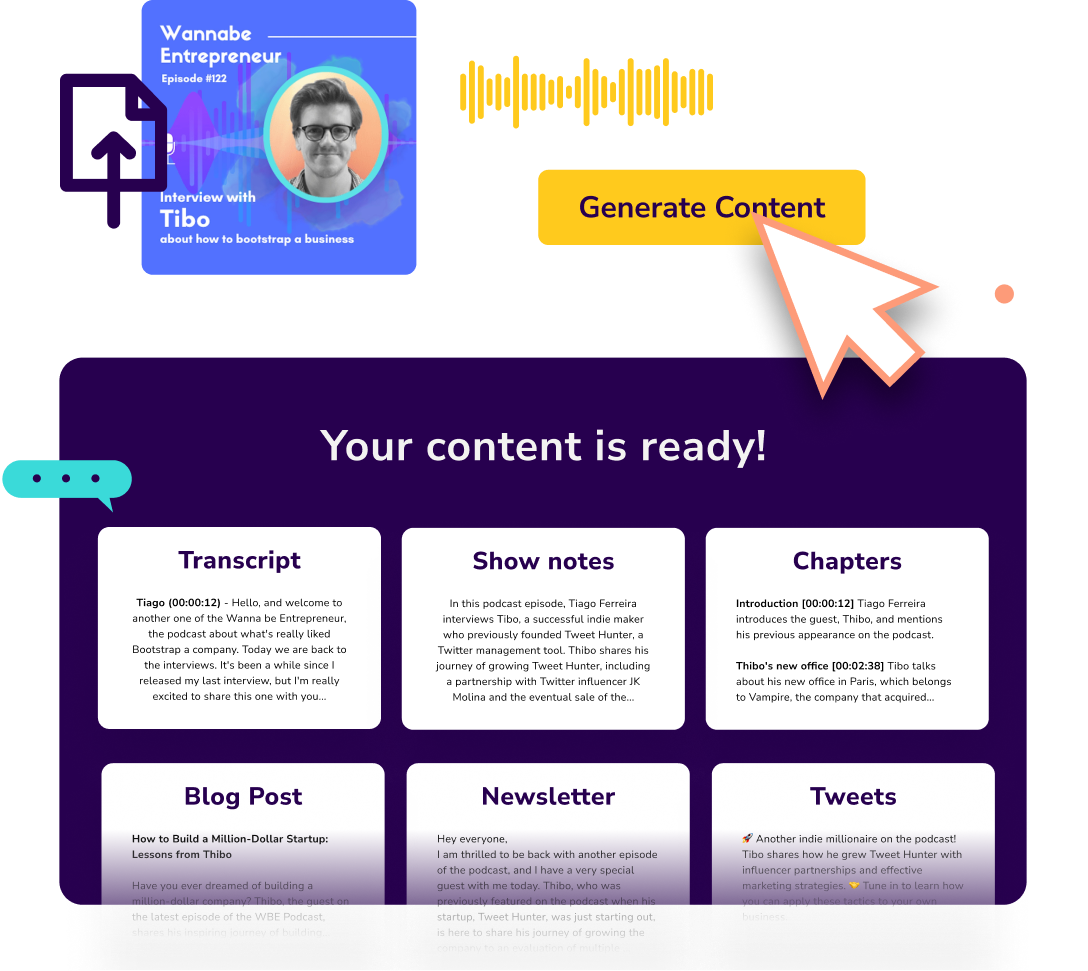
FAQ
Video summarizer questions
What video formats does the summarizer support?
Upload MP4, MOV, AVI, MKV, WebM, MP3, WAV, M4A, and more—or paste a YouTube link. For YouTube-specific workflows, see our YouTube Transcript Generator & Video Summarizer AI page.What do I get besides a summary?
Alongside AI summaries, you get a timestamped transcript, chapter breakdowns, bullet-point highlights, show notes, and the ability to create short clips and social posts—depending on the workflow you choose.Can I summarize a video without watching it?
Yes. Once the transcript exists, AI condenses the video into summaries and structured highlights so you can understand the core ideas in minutes instead of rewatching.How accurate is the transcription?
For clear speech, our AI transcription reaches very high accuracy (often 95%+ in ideal conditions). Use our Transcript Proofreading workflow to tighten the final text if needed.Does this work for podcasts too?
Yes—Podsqueeze handles long-form audio and video. Explore Podcast Summary Generator and Podcast Transcription for audio-first workflows.What other tools should I try?
For general video-to-text, see Video to Text Converter. For YouTube-only pages, try YouTube Transcript Generator or Convert YouTube Video to Text. Developers can use the Video Transcript API.Why video summaries drive more reach
Summaries help viewers decide to watch
A strong summary helps humans skim chapters, find key moments, and share highlights—improving click-through and retention on long-form video.Turn one video into a content system
Use the transcript as your source of truth, then generate summaries, show notes, blog drafts, and short clips—without starting from a blank page every time. See Repurpose Content for the full playbook.Built for creators who publish on video
Whether you upload to YouTube, host webinars, or record courses, Podsqueeze gives you transcript → summary → clips in one place—similar to tools like Descript and VEED, but built for podcast and video repurposing at scale.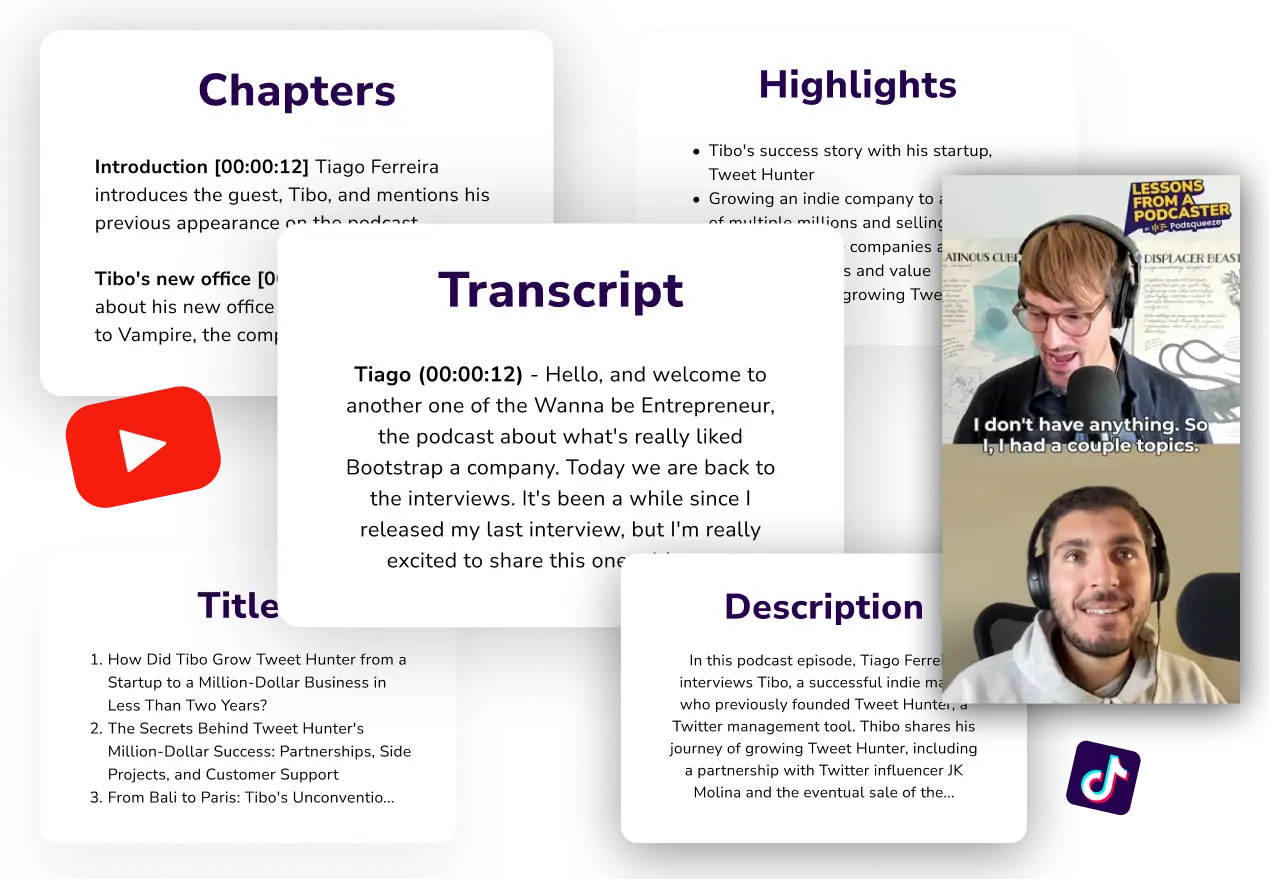

MORE RESOURCES FOR YOUR PODCAST
Learn how to get the most out of your content

How to repurpose podcast content and grow your audience
Repurpose your podcast content and grow your audience with these actionable tips, Q&As, and real-life examples.

AI vs SEO: Will Google penalize your AI-generated content?
Does Google penalize your AI generated content? These are the key points from Google's guidelines and what they mean for your podcast promotion.
What Is a Podcast RSS Feed?
Learn what a podcast RSS feed is, where to find yours on Buzzsprout, Spotify & Apple, and how to submit it to podcast directories.