PRODUCT FEATURE
YouTube Transcript Generator & Video Summarizer AI
Last updated: 10/21/2026
Turn any YouTube video into a polished transcript and a clear AI summary in one workflow. Capture every word with timestamps, then instantly generate takeaways, chapters, titles, descriptions, and social-ready posts—so you can publish faster and help viewers find what matters.
Used Language
Transcript → AI summary → clips & show notes in one workflow
Sample output
How to Build a Content System
TL;DR
Turn one long video into transcripts, chapter summaries, and short clips—so you publish faster without rewatching the full episode.
Key takeaways
- •Start with a transcript as your source of truth
- •Generate chapters with timestamps automatically
- •Export show notes, posts, and clips from one workflow
Chapters
00:00 — Why summaries matter for video SEO
04:12 — Transcript → show notes workflow
09:45 — Turning highlights into clips














TRANSCRIPTS + SUMMARIES IN ONE PLACE
From YouTube link to transcript and AI video summary—without the busywork
Accurate transcripts, built for video
Generate a high-accuracy transcript from your YouTube audio with timestamps you can trust. Use it for captions, SEO, accessibility, quotes, and as the foundation for every summary and repurposed asset you publish next.
AI summaries that match how people watch
Go beyond a wall of text with structured outputs—TL;DR-style summaries, chapters with key moments, highlights as bullet points, and episode-ready descriptions—so your audience can skim, jump in, and share faster.
Repurpose one video into many assets
Turn a single YouTube episode into newsletters, blog drafts, short clips, audiograms, and social posts. Podsqueeze helps you squeeze more reach from the content you already created—without rewatching the whole video.
SIMPLE WORKFLOW
How to generate a YouTube transcript and AI video summary with Podsqueeze
1. Create your free account
Sign up in seconds. No credit card is required, and you can start with a free plan to process your first videos.2. Paste your YouTube link (or upload a file)
Add your YouTube URL and generate content in one click. Podsqueeze transcribes the audio and prepares AI-written summaries and marketing assets alongside your transcript.3. Download, edit, and publish
Export transcripts (including subtitle-friendly formats), refine wording in the editor, and copy summaries, chapters, and posts straight into YouTube, your site, or your newsletter tool.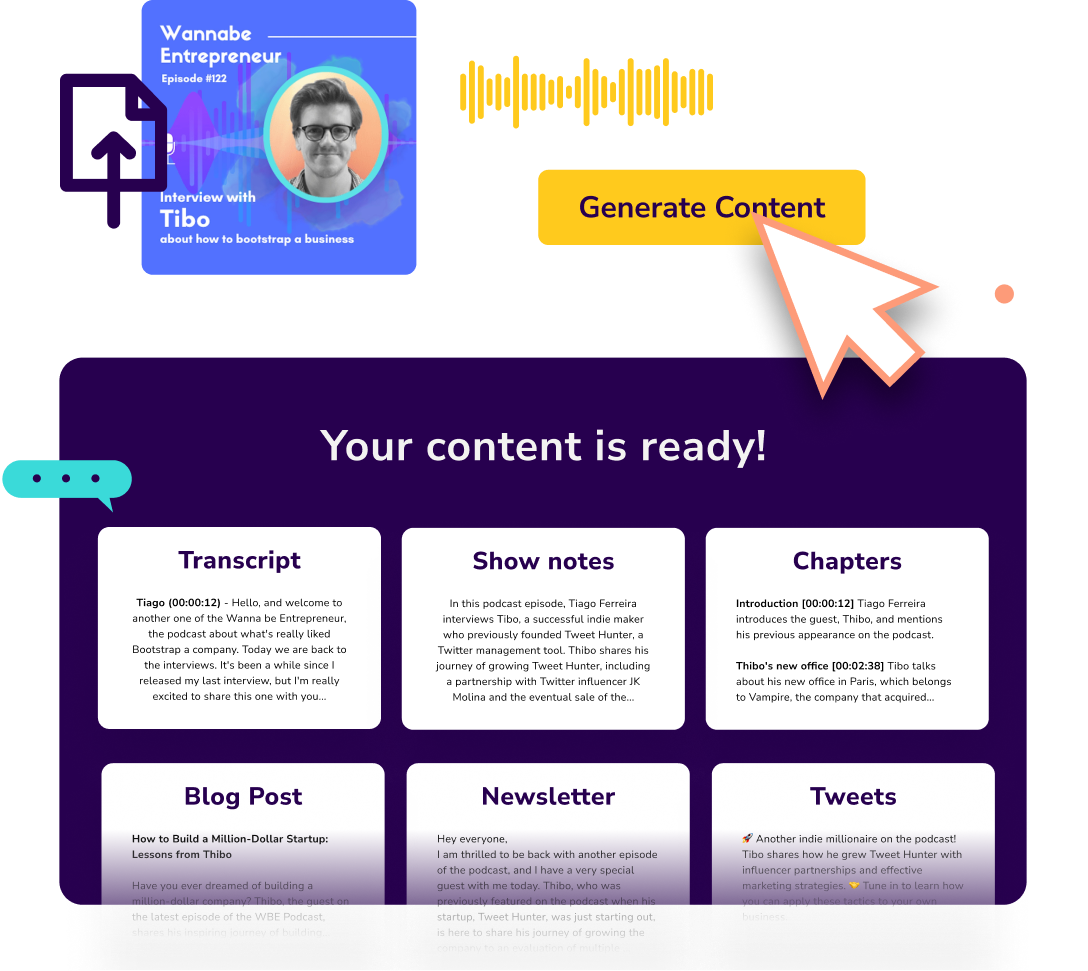
FAQ
YouTube transcript generator & video summarizer questions
What do I get besides a transcript?
Alongside a timestamped transcript, Podsqueeze can generate AI summaries and written assets like descriptions, chapters, bullet points, and repurposed posts—depending on the workflow you choose—so you can publish faster with less manual rewriting.How accurate is the YouTube transcription?
For clear speech, our AI transcription is designed to reach very high accuracy (often 95%+ in ideal conditions). If your audio has heavy music, overlapping speakers, or low volume, results can vary—use our Transcript Proofreading workflow to tighten the final text.Can I summarize a YouTube video without watching it end-to-end?
Yes. Once the transcript exists, AI can condense the episode into summaries and structured highlights so you (or your team) can understand the core ideas in minutes instead of rewatching.What formats can I export?
You can use plain text transcripts, subtitle-oriented exports like SRT (great for captions), and additional written outputs for marketing and SEO. If you need automation, explore our Transcription API, Video Transcript API, and YouTube Transcription API.What other YouTube tools should I try next?
If you want a broader “video to text” workflow, see Convert YouTube Video to Text or our general Video to Text Converter. For transcription-focused pages, try YouTube Transcript Generator or YouTube Transcript Maker. For audio uploads, see Audio to Text Converter. Developers can use the YouTube Transcription API.Does Podsqueeze work for podcasts too?
Yes—many creators use Podsqueeze for podcast episodes as well. Explore Podcast Transcription and Podcast Summary Generator if your content is audio-first.Why transcripts and summaries work better together
Transcripts unlock search—and summaries unlock clicks
A transcript helps platforms and search engines understand your episode. A strong summary helps humans decide to press play, skim chapters, and share the best moments—together they improve discovery and retention.Turn long videos into a content system
Use the transcript as your source of truth, then generate summaries and derivative posts for YouTube descriptions, blog SEO, LinkedIn threads, newsletters, and short-form clips—without starting from a blank page every time. For a bigger repurposing playbook, see Repurpose Content.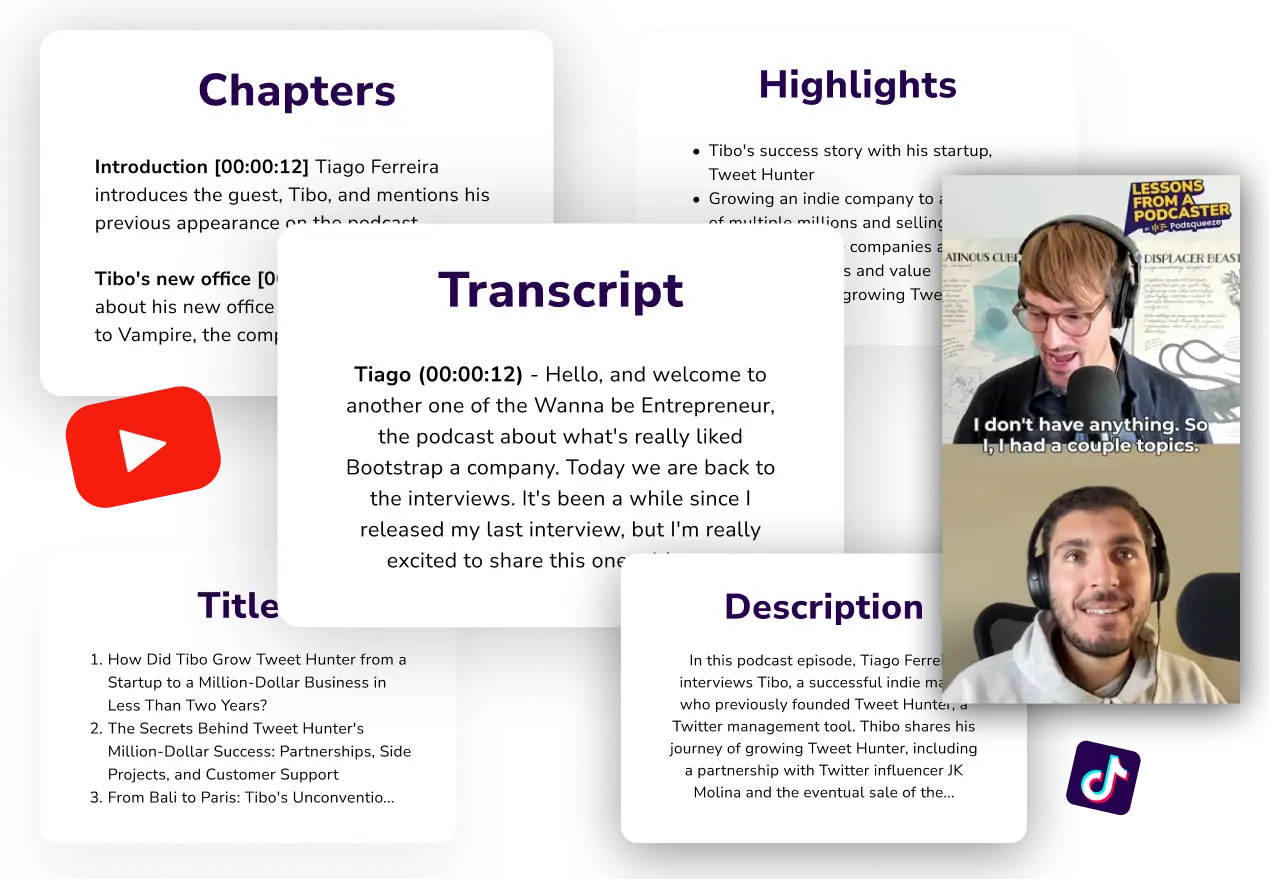

MORE RESOURCES FOR YOUR PODCAST
Learn how to get the most out of your content
Best YouTube Transcript Tools & Transcribers (2026)
Compare 8 YouTube transcription tools and transcribers for accuracy, speed, and price. Free and paid YouTube transcript tools tested for 2026.
How To Convert YouTube Videos to Texts (A Beginner's Guide)
Here's a step-by-step guide on how you can convert your YouTube videos to text within a minute, plus advanced tips on how to repurpose your content
How To Turn YouTube Long Videos To Short Videos - Step-By-Step Guide 2026
Want to turn your YouTube long videos into short videos? Learn how, plus how to make them go viral on platforms like Instagram, TikTok, YouTube Short, etc.